Skip to content
TechBone
Huawei

Huawei: Turn Google Feed On or Off

If a scrolling panel with news, video clips and trending stories keeps showing up on the left edge of your Huawei home screen, that is Google Feed pulling in content automatically. Some people find it useful, others just want a clean home screen without extra swiping. Whether you want to bring it back or shut it off for good, the option sits in a place you would not expect.

3 min4 steps
VersionAndroid 10 · EMUI

Step by step

1 / 4

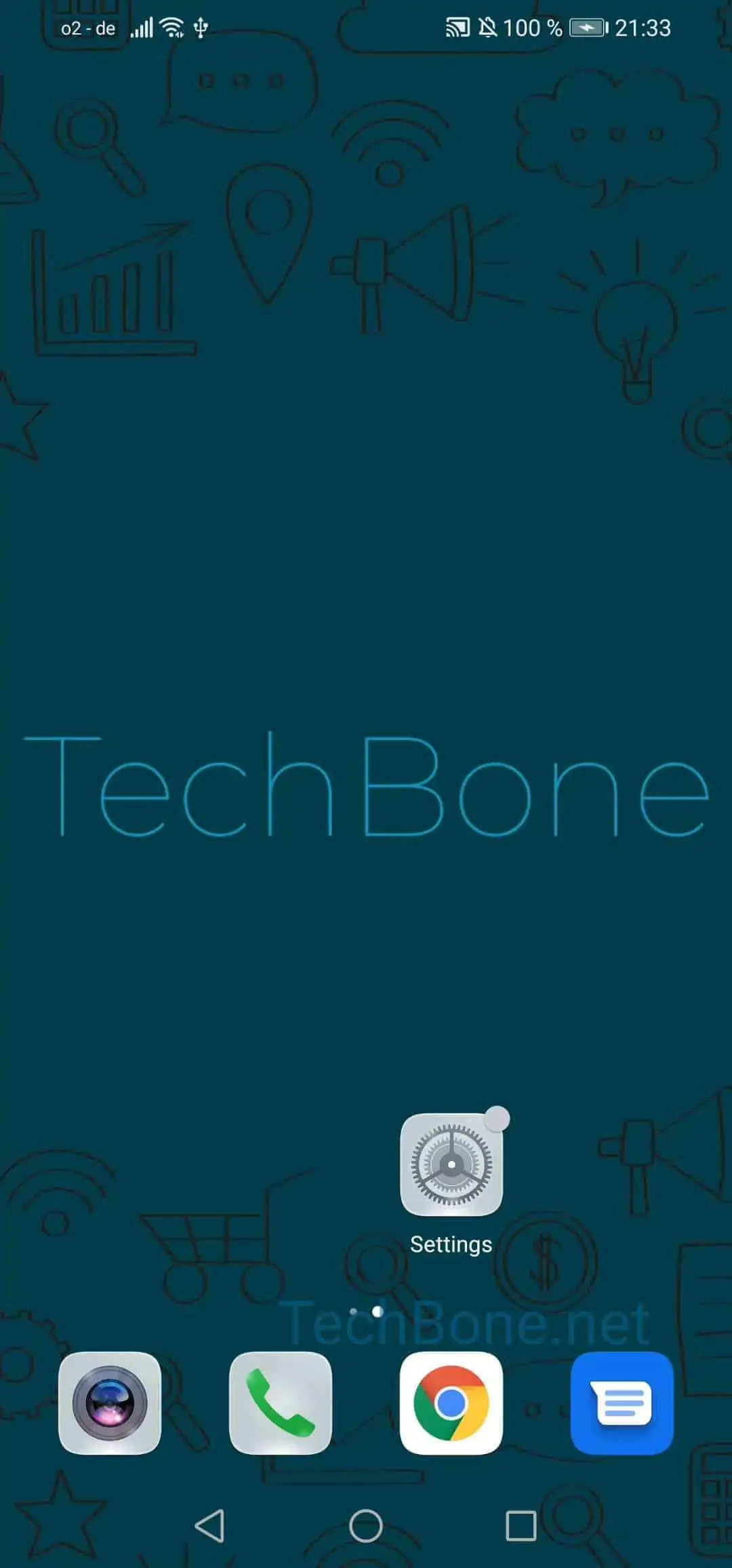
Step 1 of 4: Open the **settings**

1

Open the settings

Live simulator

Android 10 · EMUI
Enable or Disable Google Feed – EMUI: step 1 – Open the settings
Open the settings
1 / 4

Scroll or use the buttons for the next step

Feedback

Was the guide correct?

Help others: confirm the path or report a problem.

29

Confirmations

Forum verified this path

Huawei

Enable or Disable Google Feed auf Huawei

Google Feed is the scrollable panel on the far-left home screen of many Huawei devices, showing news, video suggestions and trending topics based on your Google activity. It is a Google service layered on top of EMUI, not a Huawei feature, which is why it can behave differently after software updates or account changes.

Some users lose the panel after a reset or a new setup and want it back. Others get it enabled by default and prefer a plain home screen without the extra swipe.

The toggle for this lives in your home screen settings, not in the general app settings menu, which is why people often miss it. The path is:

Open the settingsTap on Home screen & wallpaperTap on Home screen settingsActivate or deactivate Google feed

Turning the feed off removes the panel entirely; it does not just hide it temporarily. Turning it back on restores the swipe gesture from your main home screen.

If the feed still does not appear after enabling it, check that Google Play services and your Google account are properly signed in, since the feed depends on both.

Frequently asked questions

A factory reset sets the feed toggle back to its default state, which can be off depending on your region. Go to Open the settingsTap on Home screen & wallpaperTap on Home screen settings and check the Activate or deactivate Google feed switch.