
OnePlus
Switch Keyboard Language While Typing auf OnePlus
OnePlus phones running the stock keyboard support more than one input language at the same time, but only if a second language has already been added to that keyboard. Once two or more languages are active, the keyboard shows a way to jump between them without closing the message you are writing.
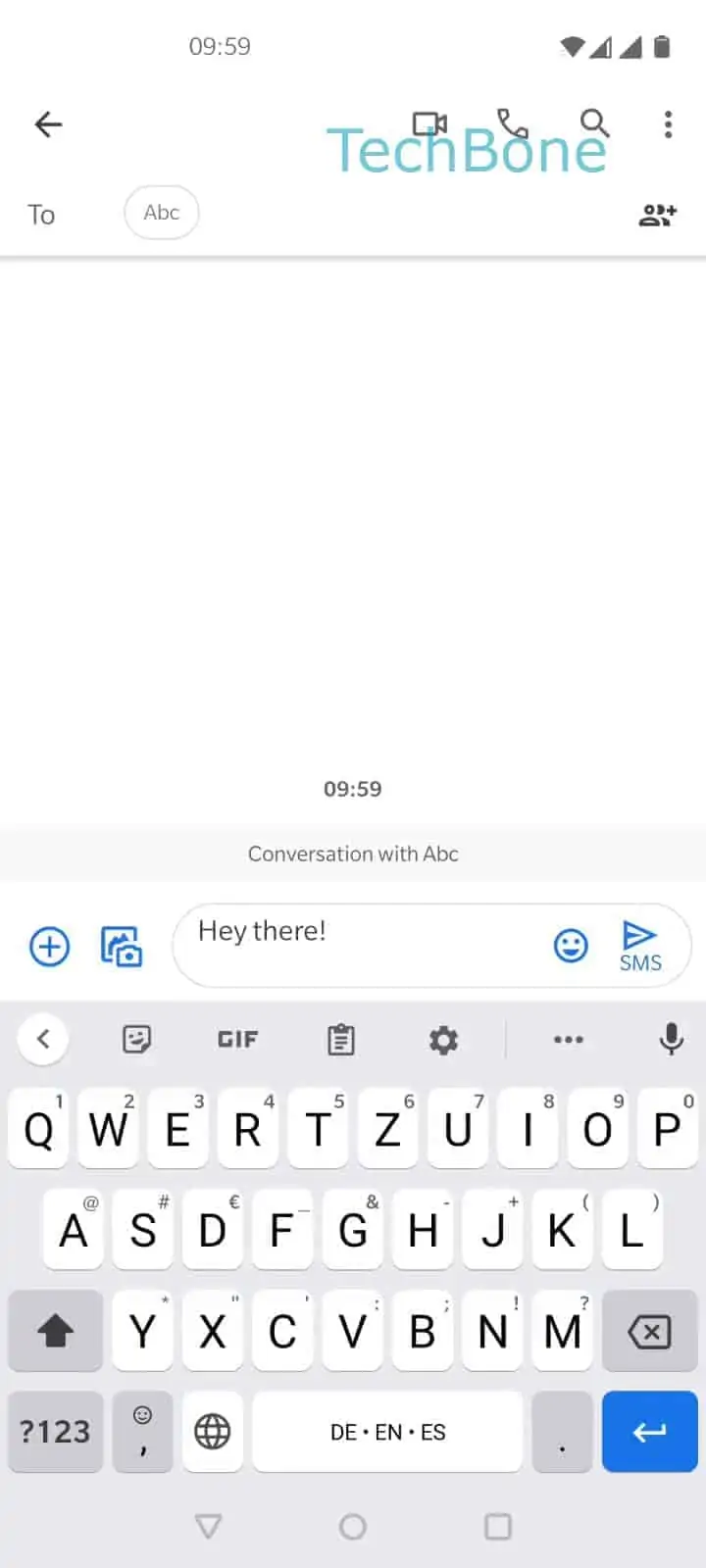
The switch works in two ways, and which one appears depends on the exact keyboard build. On many setups, a small globe icon sits directly next to the space bar and opens a language list when tapped. On others, the same result happens by pressing and holding the space bar itself.
The actual path is: Tap on the language switch or hold the space bar ➔ Choose a language. A short list pops up showing every language currently enabled for that keyboard, and tapping one applies it instantly to the text field you are in.
If nothing happens when you tap the space bar area, the keyboard likely has only one language installed, so there is nothing to switch to. In that case, adding a second language in the keyboard settings solves the problem, rather than looking for a hidden switch that does not exist yet.
This shortcut only affects the keyboard language, not the phone system language. Menus, apps, and notifications stay in whatever language is set under the general system settings.