Skip to content
TechBone
OnePlus

OnePlus: Switch Keyboard Language While Typing

Typing a message that mixes two languages and the keyboard keeps autocorrecting the wrong one gets annoying fast on a OnePlus phone. Most keyboards let you swap languages mid-sentence, but the trigger for that switch is not always obvious. Some people tap a small globe icon near the space bar, others just hold the space bar down and get nothing.

2 min2 steps
VersionAndroid 10 · Oxygenos 10

Step by step

1 / 2

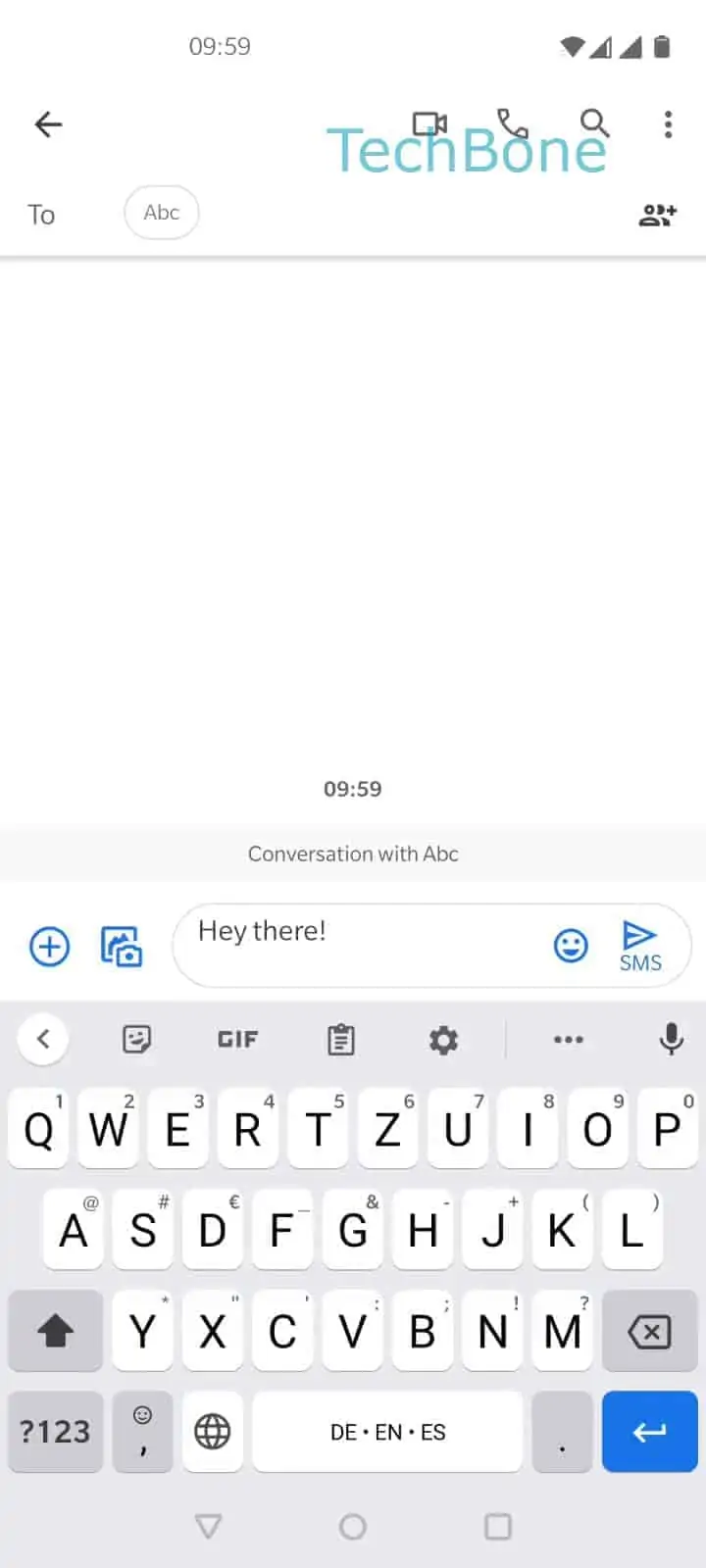
Step 1 of 2: Tap on the **language switch** or hold the **space bar**

1

Tap on the language switch or hold the space bar

Live simulator

Android 10 · Oxygenos 10
Switch Keyboard Language While Typing – Oxygenos 10: step 1 – Tap on the language switch or hold the space bar
Tap on the language switch or hold the space bar
1 / 2

Scroll or use the buttons for the next step

Feedback

Was the guide correct?

Help others: confirm the path or report a problem.

77

Confirmations

Forum verified this path

OnePlus

Switch Keyboard Language While Typing auf OnePlus

OnePlus phones running the stock keyboard support more than one input language at the same time, but only if a second language has already been added to that keyboard. Once two or more languages are active, the keyboard shows a way to jump between them without closing the message you are writing.

The switch works in two ways, and which one appears depends on the exact keyboard build. On many setups, a small globe icon sits directly next to the space bar and opens a language list when tapped. On others, the same result happens by pressing and holding the space bar itself.

The actual path is: Tap on the language switch or hold the space barChoose a language. A short list pops up showing every language currently enabled for that keyboard, and tapping one applies it instantly to the text field you are in.

If nothing happens when you tap the space bar area, the keyboard likely has only one language installed, so there is nothing to switch to. In that case, adding a second language in the keyboard settings solves the problem, rather than looking for a hidden switch that does not exist yet.

This shortcut only affects the keyboard language, not the phone system language. Menus, apps, and notifications stay in whatever language is set under the general system settings.

Frequently asked questions

The globe icon for the language switch only appears once a second keyboard language has been added. With just one language active, there is nothing to switch to, so the icon stays hidden and holding the space bar has no effect either.

Compatible devices

Tap your device — opens its hub with matching guides.