Skip to content
TechBone
OnePlus

OnePlus: Remove the Google Search Bar from the Home Screen

After setting up a OnePlus phone, the Google search bar sits fixed at the top of the home screen and takes up space you might want for apps or widgets. It behaves like a widget rather than a system element, so it can be taken off without touching any search functions on the phone. If it keeps coming back after a restart, a launcher setting is usually the reason.

2 min2 steps
VersionAndroid 10 · Oxygenos 10

Step by step

1 / 2

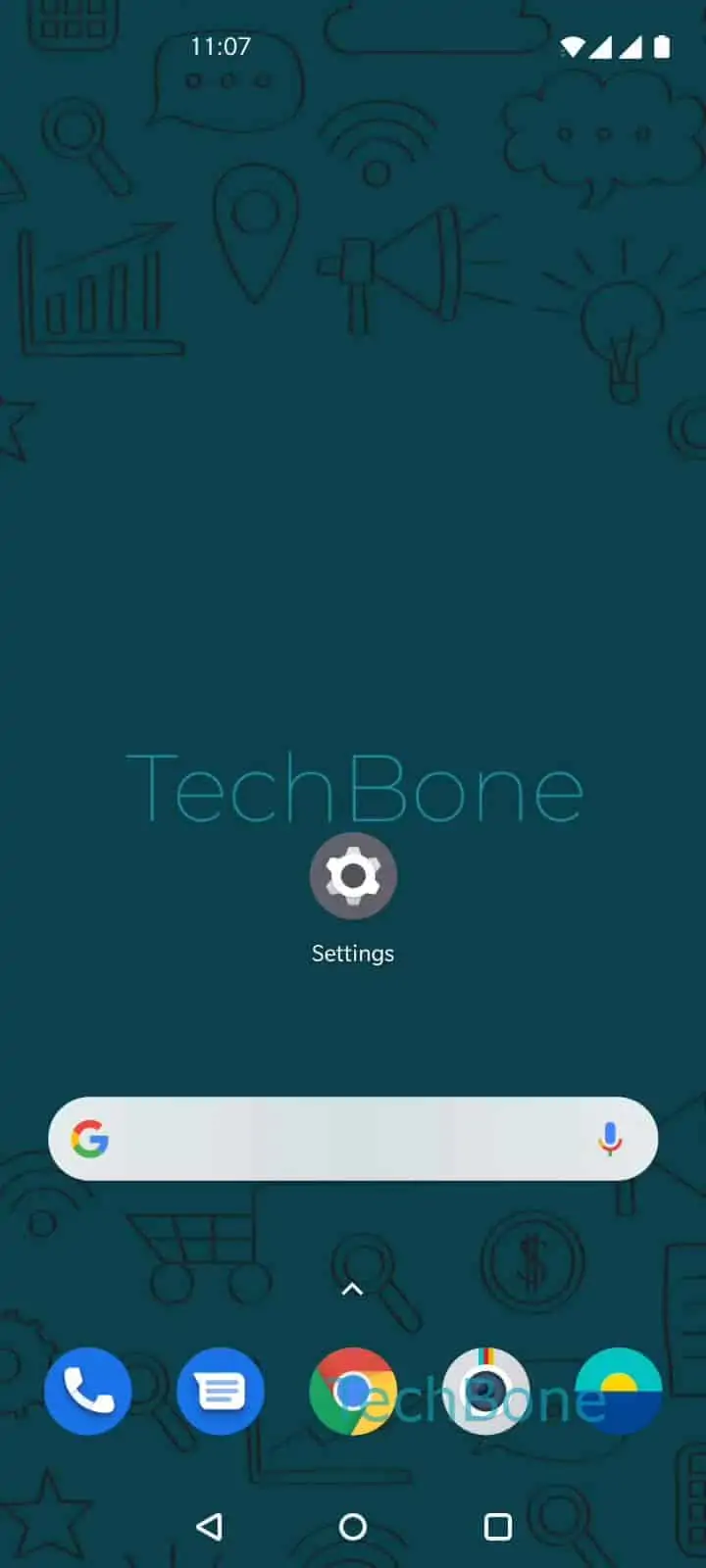
Step 1 of 2: Tap and hold the **Google search bar**

1

Tap and hold the Google search bar

Live simulator

Android 10 · Oxygenos 10
Remove the Google Search Bar from the Home Screen – Oxygenos 10: step 1 – Tap and hold the Google search bar
Tap and hold the Google search bar
1 / 2

Scroll or use the buttons for the next step

Feedback

Was the guide correct?

Help others: confirm the path or report a problem.

90

Confirmations

Forum verified this path

OnePlus

Remove the Google Search Bar from the Home Screen auf OnePlus

The Google search bar on a OnePlus home screen is placed there by default during first setup. Although it looks like a fixed system bar, OxygenOS treats it as a regular home screen widget.

That means it can be removed the same way you would remove any other widget, without disabling Google search on the device itself.

How to remove it

Press and hold the Google search bar until a small menu or outline appears. Then select the remove option that shows up above or below it.

Menu path: Tap and hold the Google search barTap on Remove.

The bar disappears immediately and the apps below shift up to fill the space. No confirmation prompt appears, so double-check you held the correct element before releasing.

When it comes back on its own

If the search bar reappears after a restart or software update, the launcher has likely reset the home screen layout to its default. In that case, repeat the same press-and-hold and remove action.

Removing the widget does not affect the Google app itself or search results elsewhere on the phone. It only clears the fixed bar from the home screen.

Frequently asked questions

No. Removing the widget only clears it from the home screen. The Google app stays installed and can still be opened from the app drawer.

Compatible devices

Tap your device — opens its hub with matching guides.