Skip to content
TechBone
OnePlus

OnePlus: Set a Custom Chrome Homepage

If Chrome always opens to the same news feed with shortcuts and suggested articles when you launch it, the browser is using a preset homepage instead of a site you picked yourself. On OnePlus phones this default start page ships active out of the box and keeps loading until you override it. You can swap it for any web address you actually use every day.

6 min7 steps
VersionAndroid 10 · Oxygenos 10

Step by step

1 / 7

Step 1 of 7: Open the **Chrome app**

1

Open the Chrome app

Live simulator

Android 10 · Oxygenos 10
Change Default Homepage in Chrome – Oxygenos 10: step 1 – Open the Chrome app
Open the Chrome app
1 / 7

Scroll or use the buttons for the next step

Feedback

Was the guide correct?

Help others: confirm the path or report a problem.

44

Confirmations

Forum verified this path

OnePlus

Change Default Homepage in Chrome auf OnePlus

OxygenOS ships Chrome with a curated feed as the default homepage, mixing shortcuts, suggested sites and news snippets. This page loads whenever you tap the Home icon in the browser toolbar, which is a different control from the New Tab page you see when opening extra tabs.

Changing the homepage does not change what appears when you open a fresh tab from the tab switcher. It only affects the page Chrome jumps to when you press the Home button, so if your goal is to change what every new tab shows, look at the startup or New Tab settings instead.

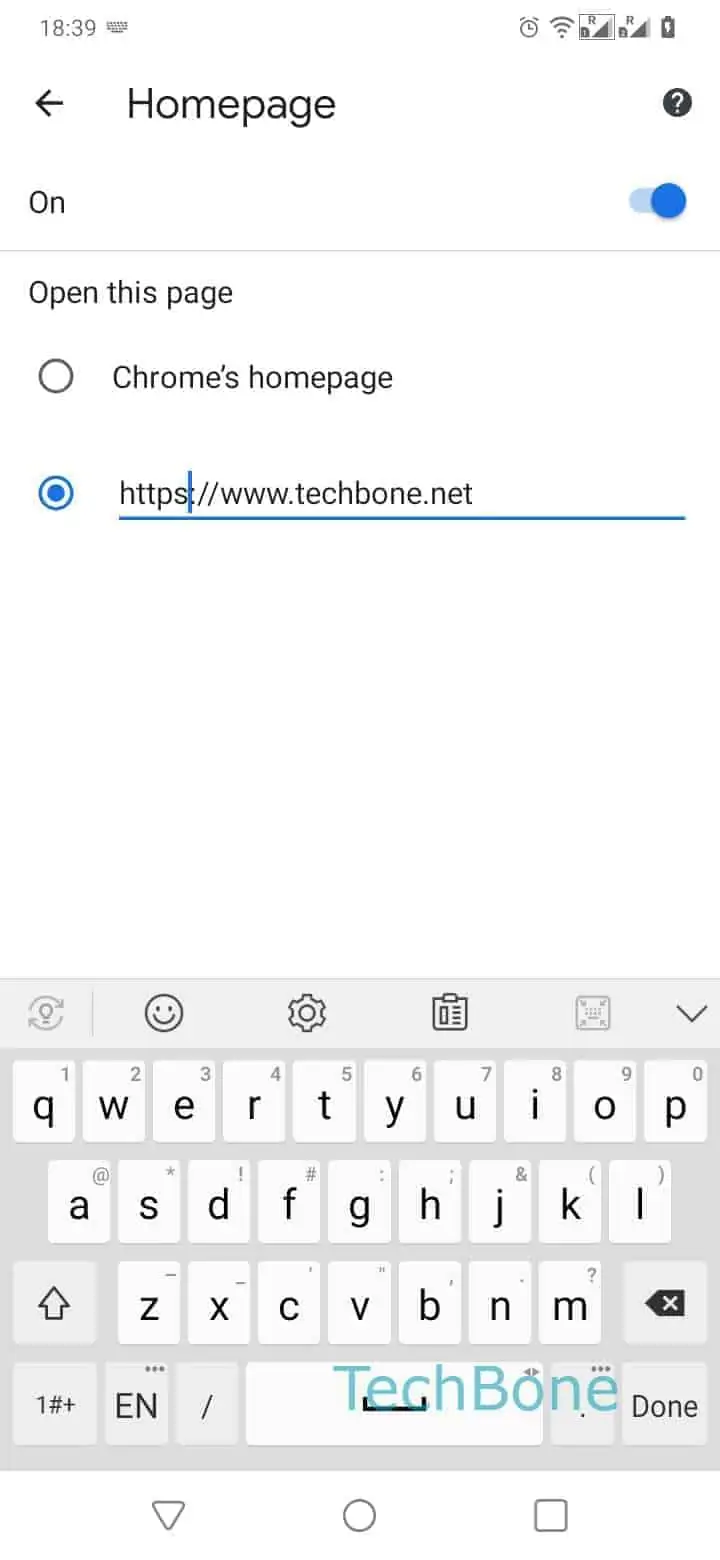
To set your own homepage, follow this path: Open the Chrome appOpen the menuOpen the SettingsTap on HomepageCheck Enter a web addressEnter a web addressTap on Back.

Once saved, the Home icon loads your chosen address immediately, and the change stays until you edit it again or reset Chrome to factory settings, which restores the original feed.

Frequently asked questions

No. The Homepage setting only controls the page Chrome loads when you tap the Home icon in the toolbar. New tabs opened from the tab switcher still use Chrome's separate New Tab behavior.

Compatible devices

Tap your device — opens its hub with matching guides.