Skip to content
TechBone
Samsung

Samsung: Switch Keyboard Language While Typing

Typing a message and need to jump between two languages without leaving the keyboard? On Samsung phones the space bar swipe only works once a second input language is active - with just one language enabled, nothing happens when you swipe. This mix-up between the language switcher and the keyboard settings is the usual reason the gesture seems broken.

2 min2 steps
Version

Step by step

1 / 2

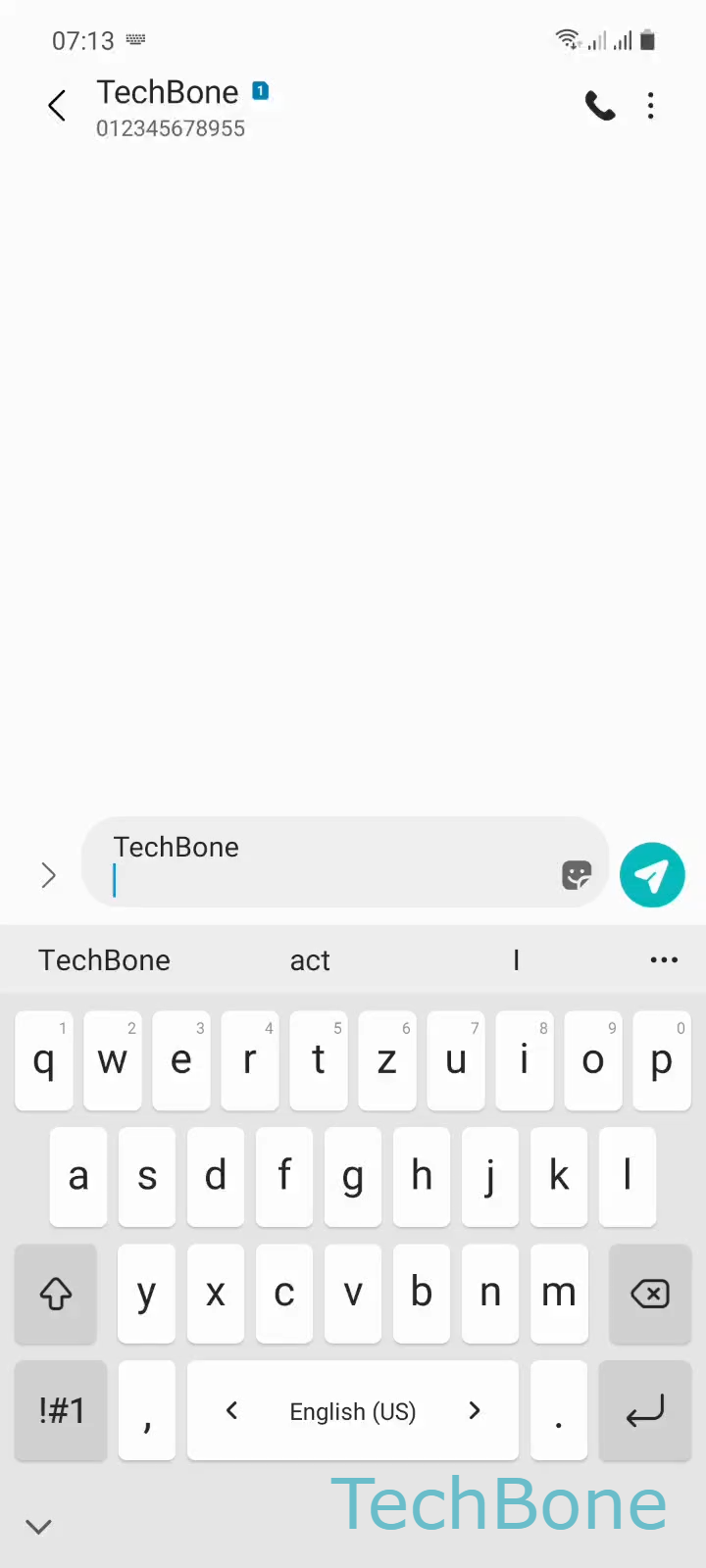
Step 1 of 2: Swipe **left** or **right** on the space bar

1

Swipe left or right on the space bar

Live simulator

Android 11 · One UI 3
Switch Keyboard Language While Typing – One UI 3: step 1 – Swipe left or right on the space bar
Swipe left or right on the space bar
1 / 2

Scroll or use the buttons for the next step

Feedback

Was the guide correct?

Help others: confirm the path or report a problem.

56

Confirmations

Forum verified this path

Samsung

Switch Keyboard Language While Typing auf Samsung

The Samsung keyboard only lets you swap languages on the fly once more than one input language is turned on. With a single language enabled, the space bar behaves like a normal key and the swipe gesture has nothing to switch to.

Once a second language is added, swiping the space bar reveals the language switcher. The action is straightforward: Swipe left or right on the space barRelease the space bar to select a keyboard language. Releasing at the right moment locks in the language you land on.

If the swipe still does nothing after adding a language, check that both languages are actually enabled at the same time in your keyboard's input language list, not just installed. Some keyboard layouts also need their own dictionary download before they show up in the swipe order.

This gesture only affects the typing language, not your phone's system language. If you need the entire interface in another language, that change happens in the general system language settings instead, not on the keyboard.

Frequently asked questions

This usually means only one input language is currently enabled. Add a second language in your keyboard's language settings first, then Swipe left or right on the space barRelease the space bar to select a keyboard language will work.

Compatible devices

Tap your device — opens its hub with matching guides.

Android 11 · One UI 3

No compatible devices are listed for this version.