Skip to content
TechBone
Samsung

Samsung: Send Files via Bluetooth

Sharing a photo or document with a paired Bluetooth device does not always work through the usual share sheet. If the receiving phone or tablet does not show up in the device list, the transfer stalls before it starts. This applies to photos, documents and videos moved directly between two Samsung devices without Wi-Fi or a cable.

3 min4 steps
Version

Step by step

1 / 4

Step 1 of 4: Choose a **File**

1

Choose a File

Live simulator

Android 11 · One UI 3
Send a File via Bluetooth – One UI 3: step 1 – Choose a File
Choose a File
1 / 4

Scroll or use the buttons for the next step

Feedback

Was the guide correct?

Help others: confirm the path or report a problem.

48

Confirmations

Forum verified this path

Samsung

Send a File via Bluetooth auf Samsung

Bluetooth file transfer on Samsung phones and tablets runs through the standard share sheet rather than a dedicated app. If a paired device does not appear in the Bluetooth list, pairing has usually dropped or the receiving device has Bluetooth visibility switched off.

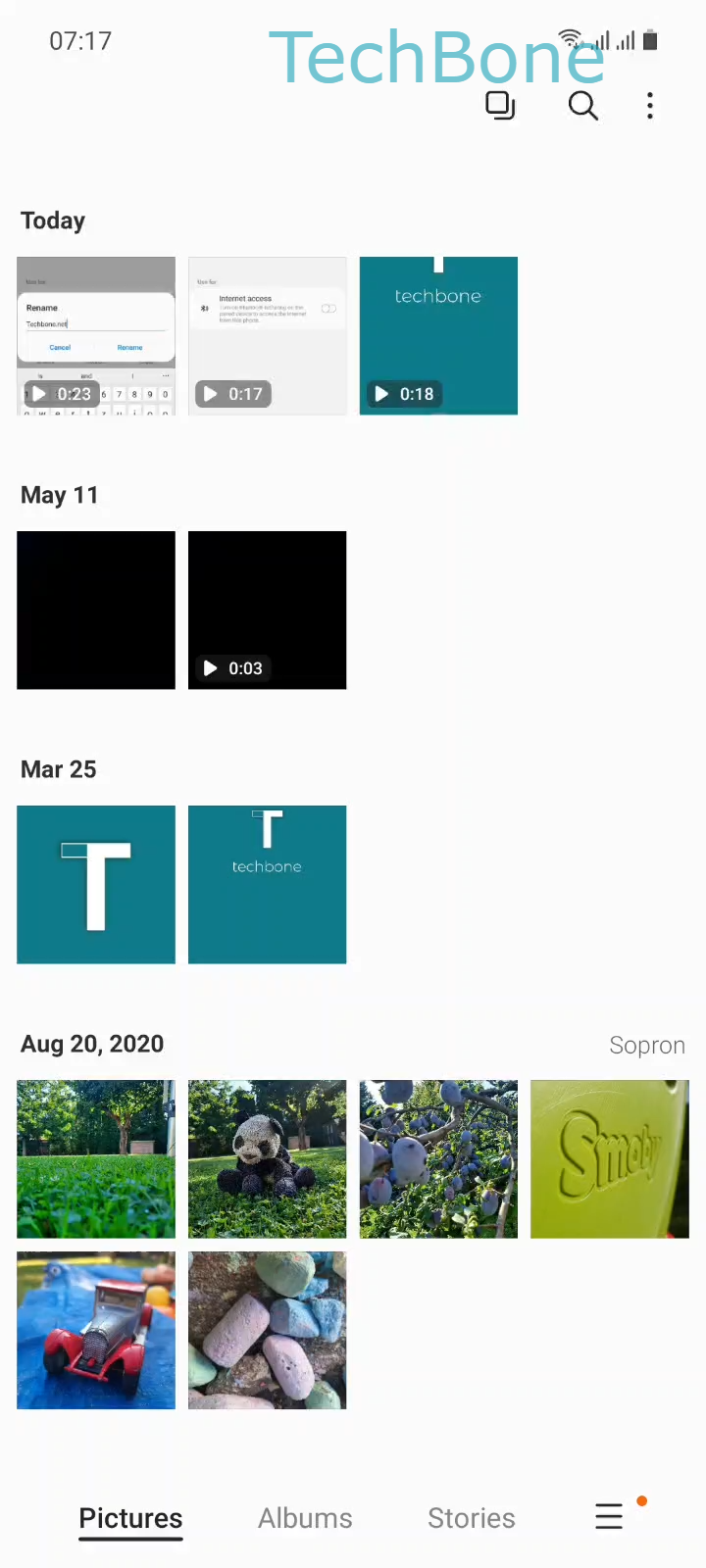
To send a file, open the photo, document or video you want to share and follow Choose a FileTap on ShareTap on BluetoothChoose a Bluetooth device. The share sheet scans for nearby paired and discoverable devices, and the transfer begins as soon as you tap the target device name.

Large files such as videos take longer over Bluetooth than over Wi-Fi Direct or a cable, since the connection bandwidth is limited. If both devices are signed into the same Samsung account, Quick Share is usually faster and handles bigger files more reliably.

Bluetooth stays the better option when the other device is not a Samsung phone, or when no Wi-Fi network is available at all.

Frequently asked questions

The device is either out of range, not currently discoverable, or its Bluetooth connection has timed out. Move both devices closer together and make sure Bluetooth is turned on on the receiving side before starting the share.

Compatible devices

Tap your device — opens its hub with matching guides.

Android 11 · One UI 3

No compatible devices are listed for this version.