
Oppo
Keep Select to Speak Reading in the Background auf Oppo
Select to Speak normally reads text only while it stays visible on screen. As soon as you open another app, switch windows, or lock the display, the Text-to-Speech engine loses the reference to the highlighted content and stops mid-sentence.
The Read in background option changes this behavior. Once enabled, the accessibility service keeps the audio queue running independently of the active app, so a long article, email, or document keeps playing after you move to a different task.
This function sits inside the Select to Speak settings and is still marked experimental by Oppo, meaning battery usage during background playback can be higher and some apps may interrupt narration when they take exclusive control of audio.
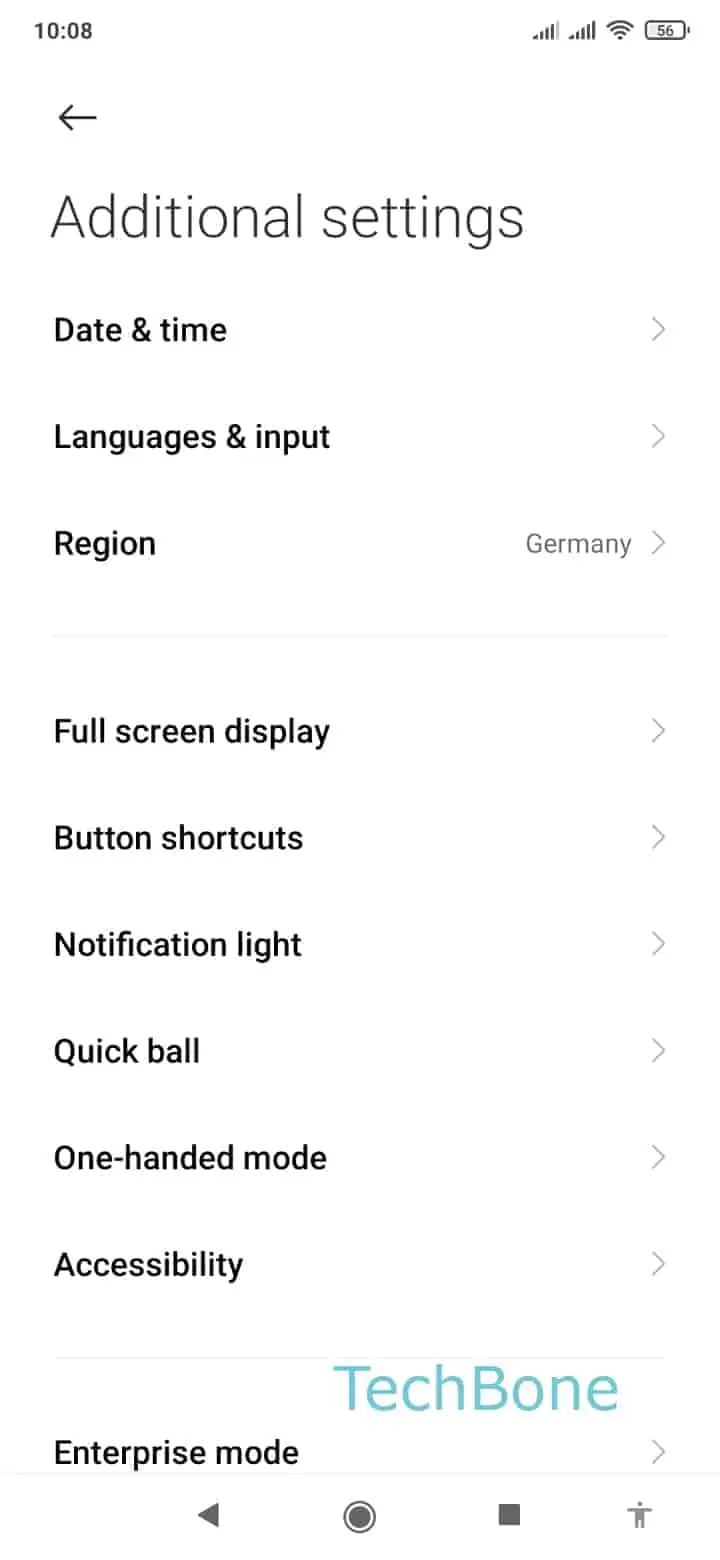
To enable it: Open the Settings ➤ Tap on Additional settings ➤ Tap on Accessibility ➤ Tap on Select to Speak ➤ Open the Settings ➤ Enable or Disable Read in background.
If narration still stops after enabling the toggle, check whether battery optimization is restricting the Accessibility service, or whether the source app pauses playback itself when it loses focus.